Su
A reader for thinking
Su turns any article into a calm, full-screen reading space, and gives you somewhere to think while you are in it.
Highlight what matters. Put your reaction in the margin beside it. When you are done reading, export the whole trail of thinking into your own notes app, where it belongs to you.
Coming to the Chrome Web Store, currently in review
Reading
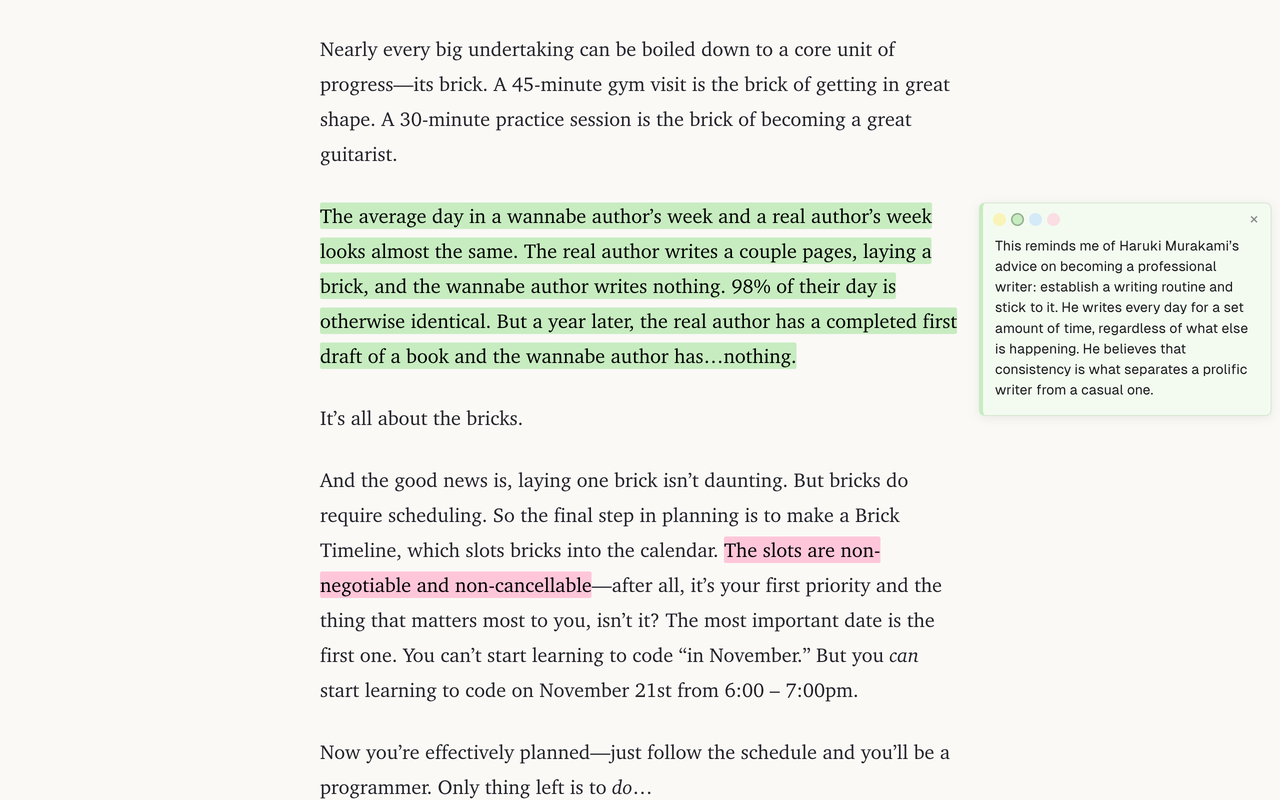
Highlight, then say why
Select text and pick a color. Click a highlight to write a note in the margin beside the line that provoked it.
Colors are categories
Key idea, action, evidence, question, or whatever you actually think in. Rename them to suit the piece.
Thoughts about the whole piece
Double-click any empty margin for a note that isn't tied to a single line.
Your reading stays yours
No account, no sync, no ads. Your highlights, notes and articles never leave your computer.
Exporting
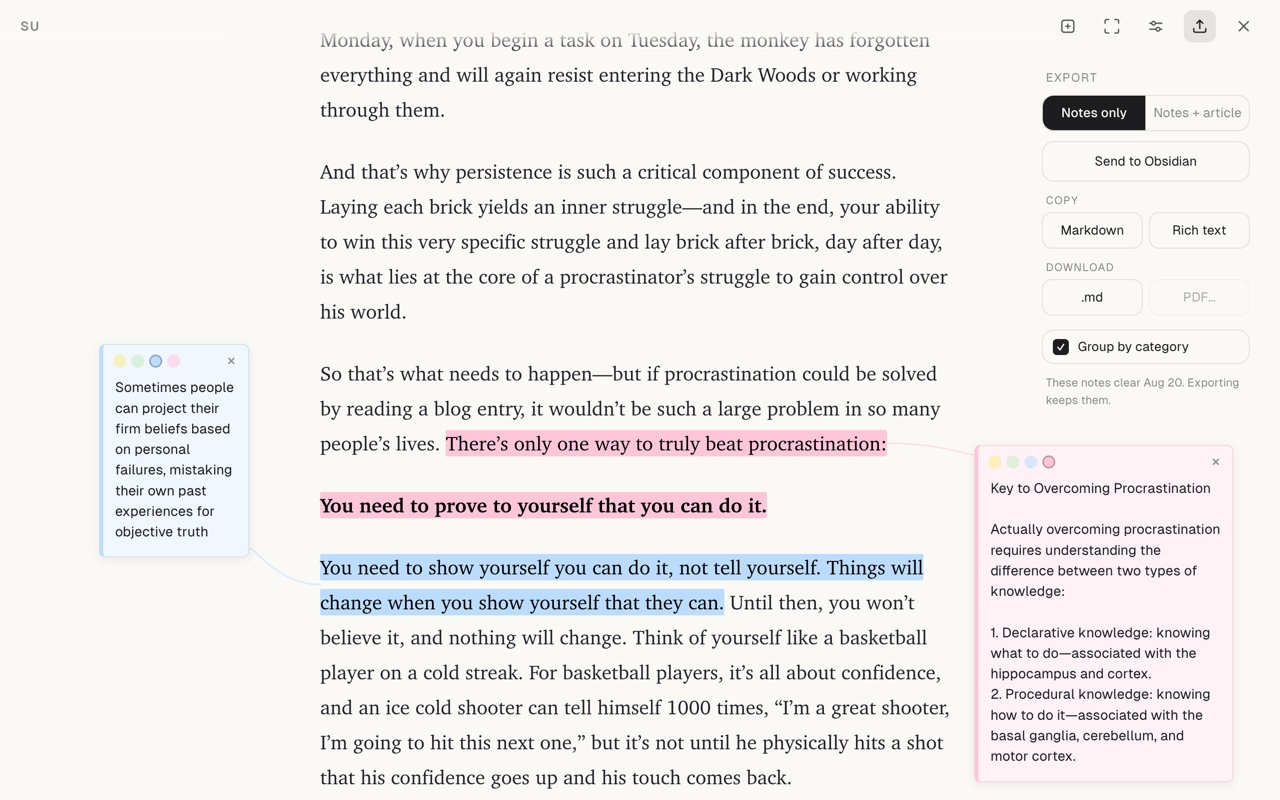
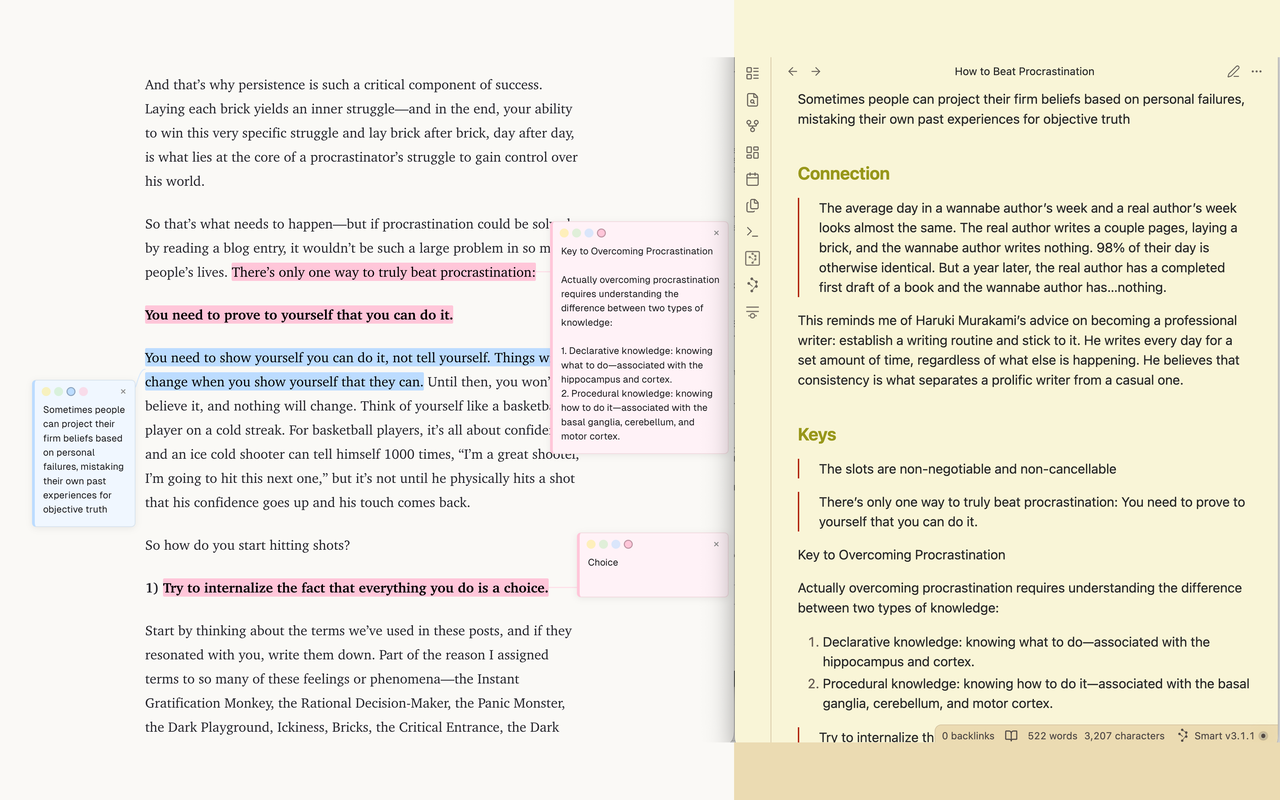
A workspace, not an archive
Su holds a piece while you are working on it, then gets out of the way. A page stays for 7 days after the last time you add to it, so working on something keeps it alive and re-reading it does not. After that its notes are set aside for another 7 days, where you can still take them back, and then they are deleted.
Su warns you before that happens. But exporting is how thinking leaves Su, and the exported copy is the one that lasts.